Subscription and access
Starting virtual machines in the App Store version requires Transit Annual: $24.99 per year in the US, with a 7-day introductory free trial for eligible Apple Accounts. App Store availability is still pending. There is no Yooz account or license key.
Transit Annual
Transit checks your subscription when it opens. If access is missing or cannot be verified, the dismissible Start using Transit setup window appears. An active, verified trial or subscription skips this setup. Choose Start 7-Day Free Trial if eligible, or Subscribe, to open Apple's confirmation sheet. Apple's confirmation sheet shows the price and billing terms for your region. The subscription renews automatically unless you cancel it through Apple.
Apple decides trial eligibility. The trial starts when you confirm the subscription with Apple, not when you download or open the app. After the trial, Apple charges the annual price unless you cancel at least 24 hours before the trial ends. If you are not eligible, the app offers the annual subscription without a trial. Read Apple's confirmation sheet before accepting. Opening Transit does not automatically request a purchase or an Apple Account synchronization.
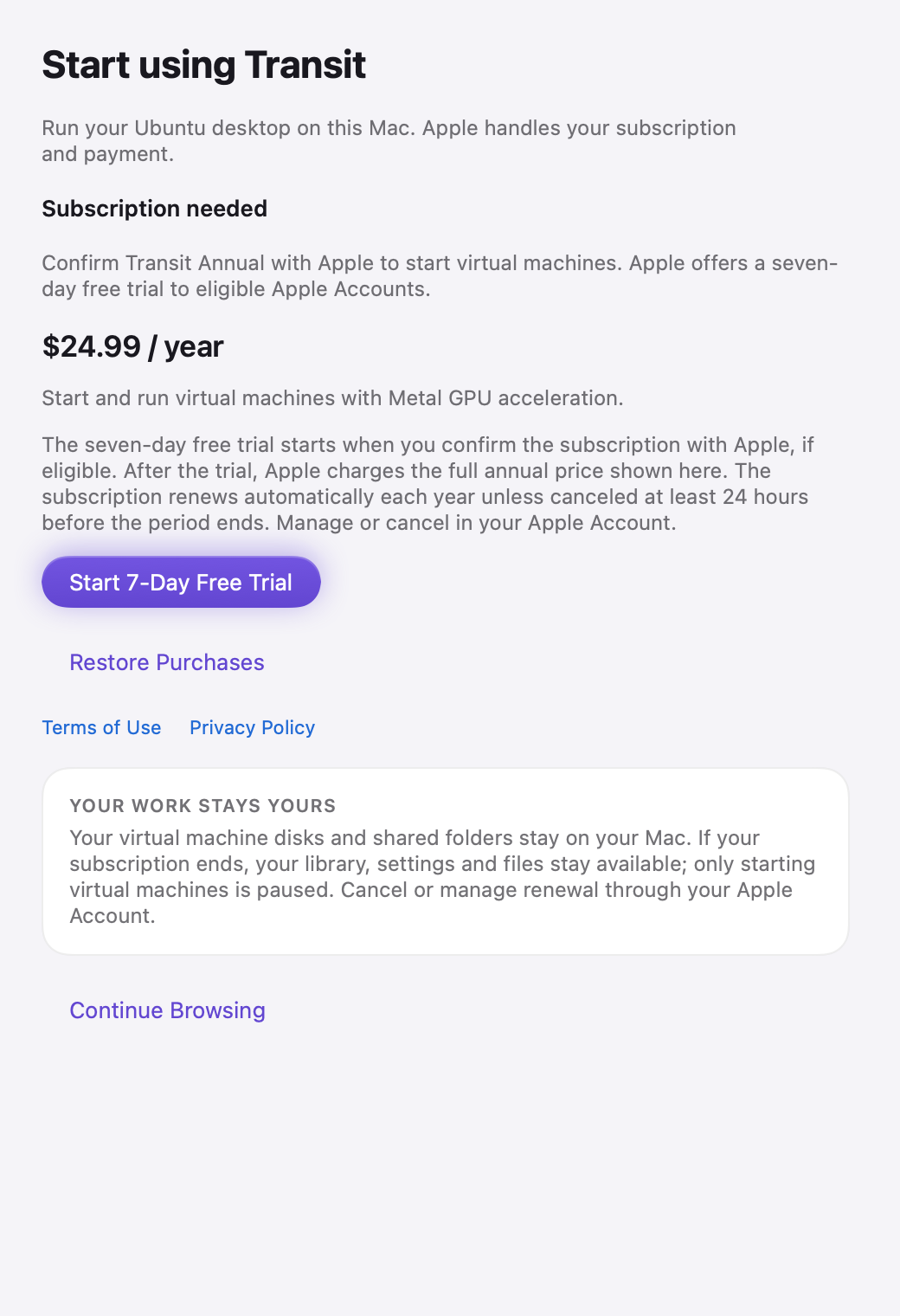
The real setup view with the annual product from Apple's local StoreKit test configuration. This illustrates an eligible trial state, not a live price or an eligibility guarantee.
Choose Continue Browsing or close setup to inspect your library, settings and local files. Starting a VM still requires verified access. If you dismiss setup, it does not reopen automatically during the same app session. Return to it with Transit > Settings > Access > Set Up Access… when access is needed, or from the subscription prompt shown when a VM cannot start.
Restore an existing subscription
- Sign in to the Mac App Store with the Apple Account used for the subscription.
- Open Start using Transit or Transit > Settings > Access.
- Choose Restore Purchases and respond to Apple if asked.
- Wait for the access status to update.
If verification fails, check the Mac's network connection and Apple Account, then use Check Again or Restore Purchases from Access settings. Do not purchase again just to work around an error; contact feedback@yooz.live if the problem continues.
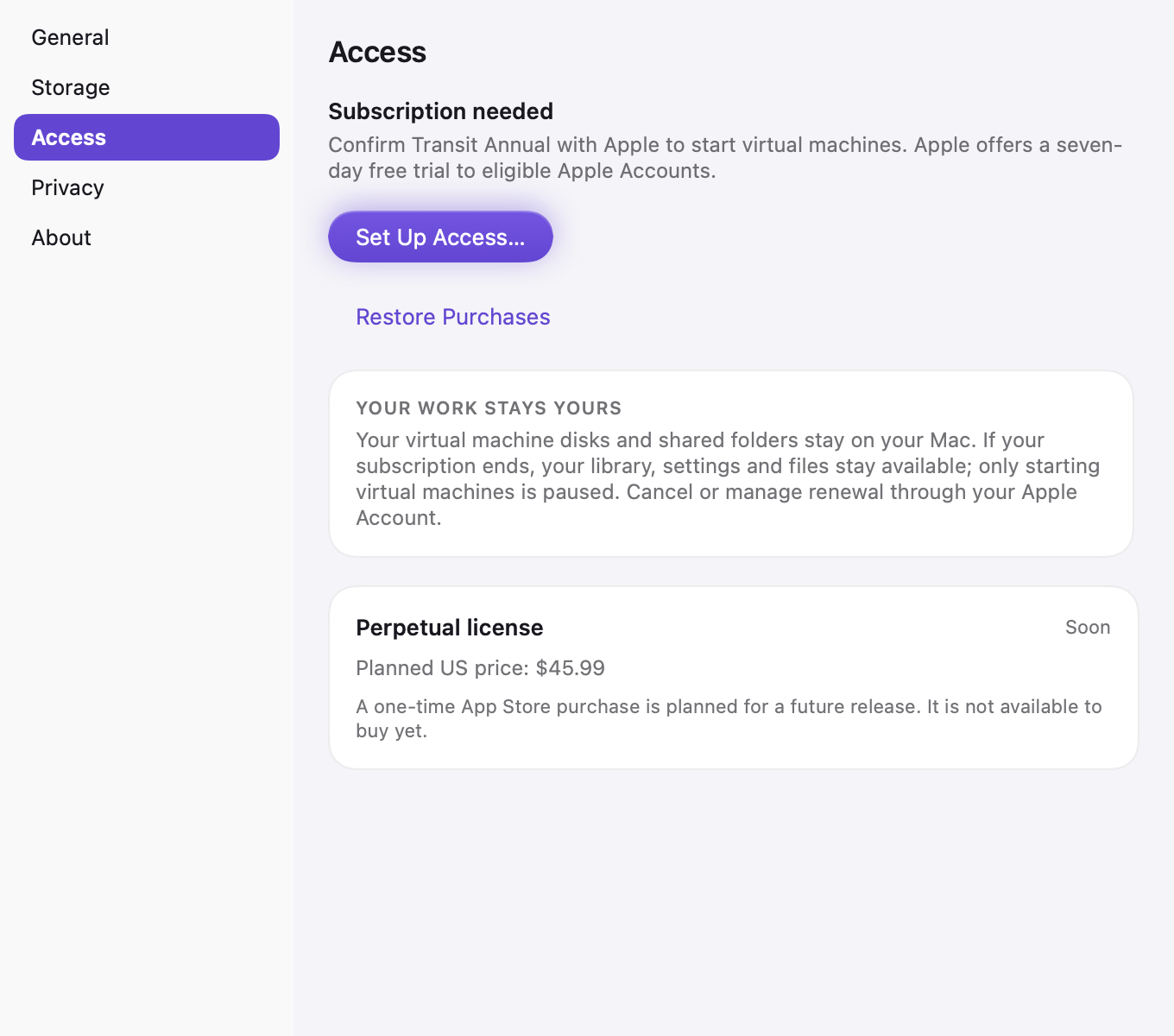
The real Access tab in a sample subscription-needed state. Annual checkout is in setup; the perpetual license card is informational and labeled Soon.
Manage or cancel
Choose Manage Subscription in Transit > Settings > Access to open Apple's subscription management. Apple handles payment, cancellation, renewal and refunds. Canceling renewal does not remove access during your current trial or paid period, unless Apple ends or revokes that period, such as after a refund. Canceling or losing subscription access does not delete your local VM files. Keep your own backups of important documents.
Perpetual license: Soon
A perpetual license is planned at US $45.99 and labeled Soon in Settings. It is informational and cannot be purchased yet. The earlier Transit Unlock one-time purchase is not offered. Transit Annual remains the available access product.
TestFlight
TestFlight installations are free and do not need Transit Annual. TestFlight builds expire under Apple's rules; check TestFlight for the build's remaining availability and updates. Do not treat access in TestFlight as evidence of an App Store purchase.